






In this guide, we discuss the download error that players have been experiencing in Arknights: Endfield, while also covering some workarounds and fixes.

While downloading Arknights: Endfield on PC, especially via the game's dedicated launcher, the process is interrupted with an error code 207.
Along with that, players also get a warning, "Unstable network connection," even though their internet is working fine.
And no matter how many times you re-try the process, you get the same error again and again.
Seeing that, we prepared this handy guide on how you can get around the download error in Arknights: Endfield.
How To Fix Error Code 207 In Arknights: Endfield
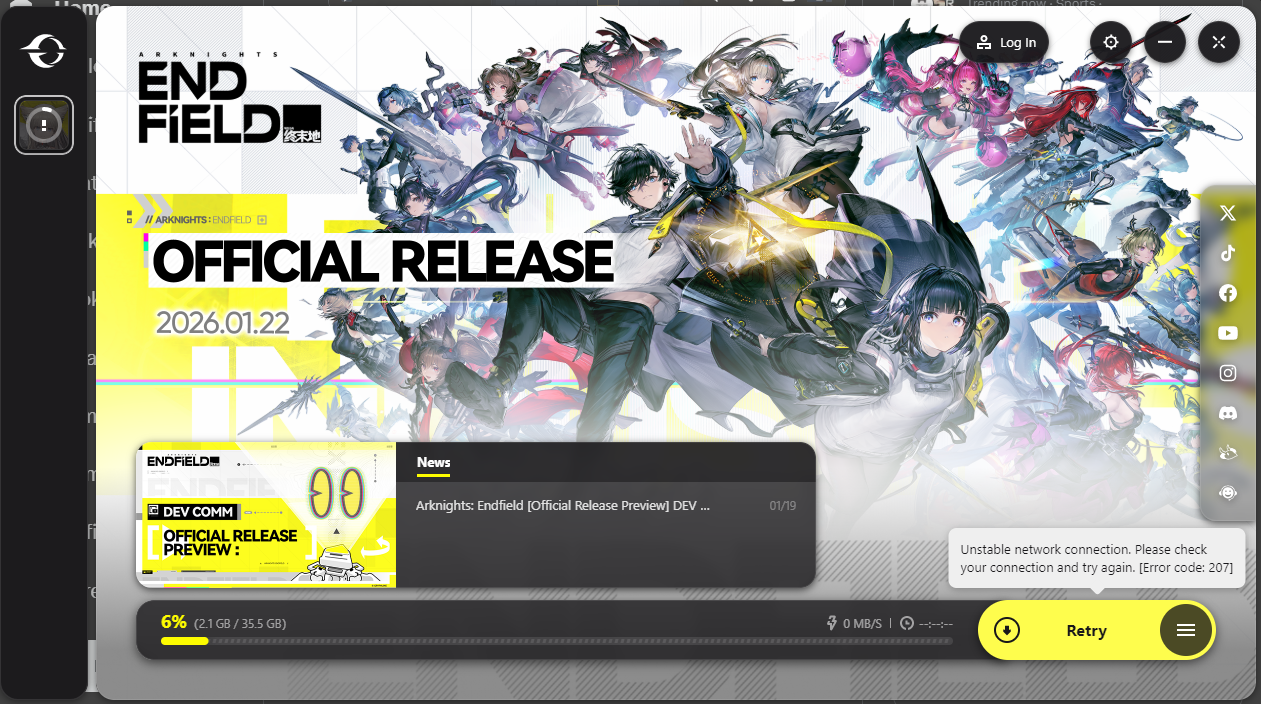
The Arknights: Endfield "Unstable network connection", aka "Error Code: 207", is an issue that arises due to a massive influx of players trying to download the game, overloading the servers.
!!NEW: Arknights: Endfield pre-download is now available on PC (via Epic and Dedicated launcher), Android, iOS and PS5 platforms. pic.twitter.com/i4aHWL6Uk6
— MobileMatters (@MobileMattersGG) January 20, 2026
While there is no official fix to this, to get around it, you must download the game in non-peak hours when the load on the servers is low.
Alternatively, you can also keep re-trying the download until it is 100% complete. Irrespective of what you do, make sure your PC's Firewall is not blocking the game's launcher.
Also, if you are using a wireless connection, switch to a LAN connection if possible. If we find any other workaround for this issue, we will update this guide.