






In this guide, we explain how you can reroll your Race in Roblox's The Forge.

The Forge offers a wide range of Races in the game that you can roll for your character and use to get access to a range of unique Perks exclusive to that particular race.
Even though the game has launched in beta stage, it offers 13 unique Races under six different rarities, with the best ones being rarer to get and equip.
That said, while you do get the option to roll for a Race during the tutorial with three free rerolls, once you get past that, even though you have free rolls via the game's redeem codes and paid means, there's no option to change your race.
Moreover, even if you look around the hub area, you won't find any NPC where you can change your Race.
That is because the NPC you are looking for is well hidden. This is where our guide on how to reroll your Race in The Forge comes in handy.
Where to Reroll Your Race in The Forge
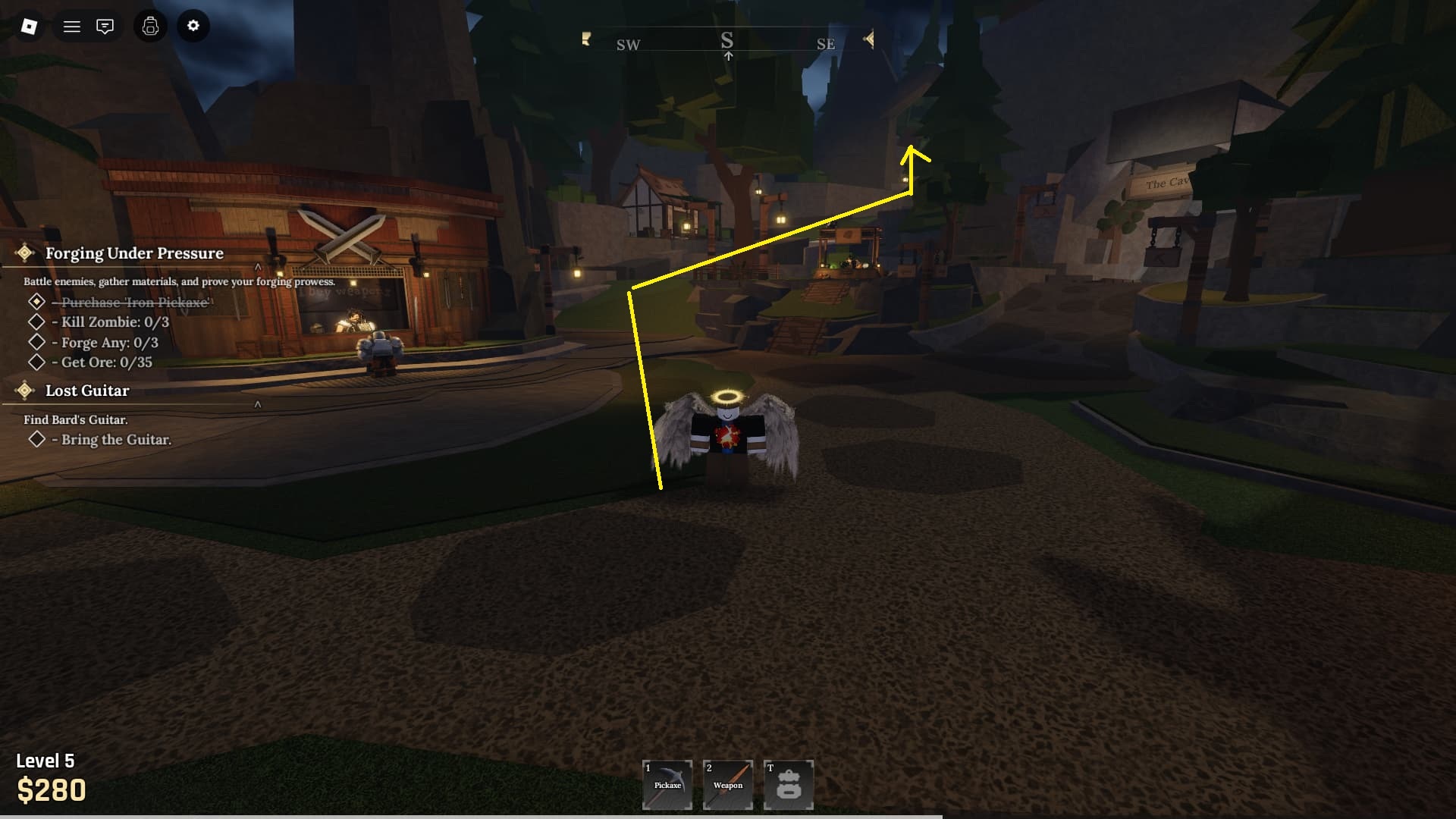
To reroll your Race in The Forge, you must find and talk to the Wizard NPC.
From the hub area, follow the elevated path found left of the NPC where you sell your rare findings.
To make things easier, we have marked the path in the above screenshot.
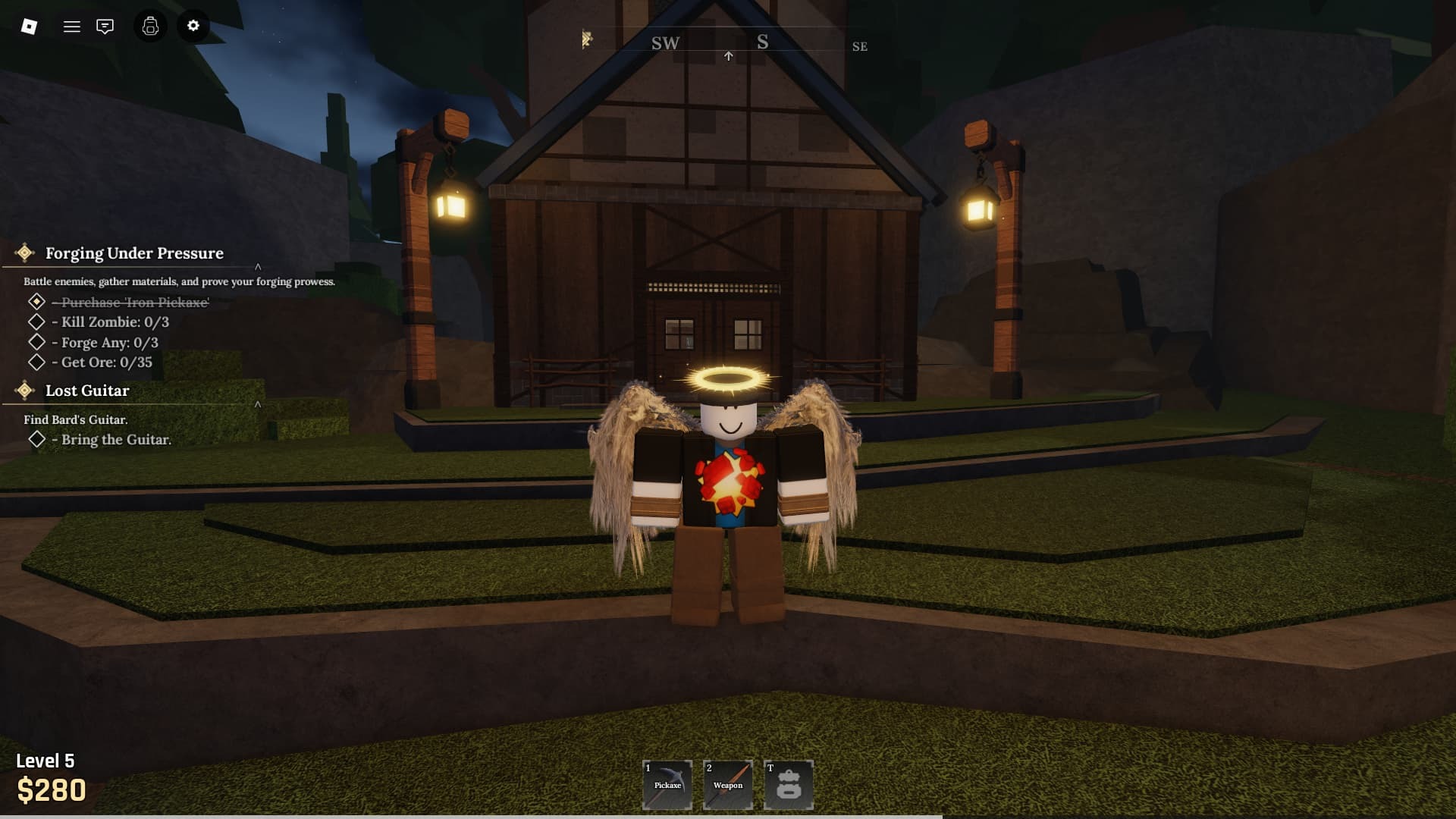
You will eventually arrive at a big house with the doors closed. Don't worry. You can clip through it.
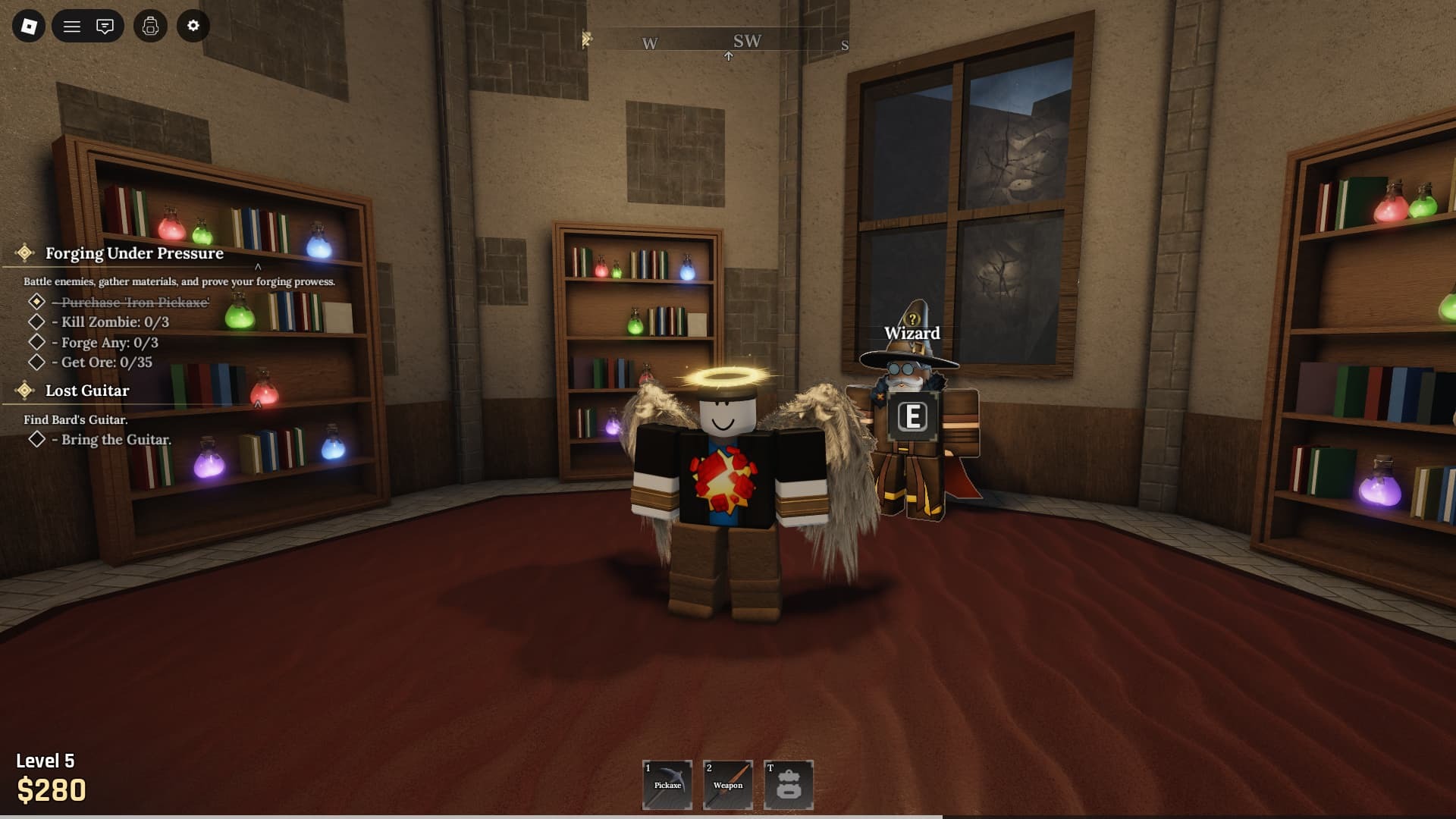
Make your way inside the house to the last room, and you will find the Wizard.
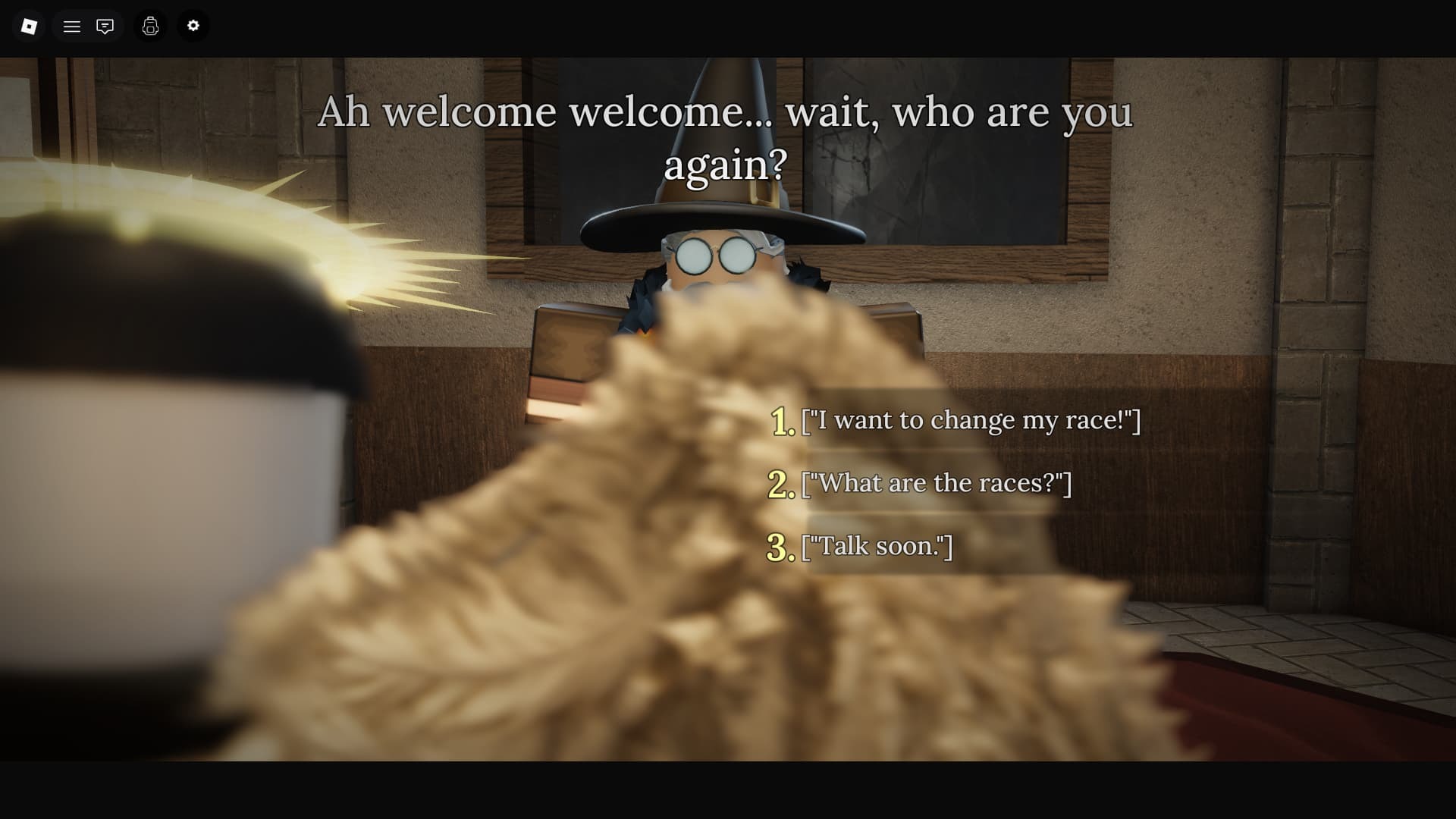
Talk to him and select the dialogue option, "I want to change my race!"

Doing so will open the Race menu, where you can use your rerolls, buy mor,e and such, to get a better Race roll.