






This guide shares details on how you can watch Silent Hill: Ascension on TV and PS5.

Genvid Entertainment's interactive series in the Silent Hill universe, Silent Hill: Ascension, is going to be one of the best things to watch this Halloween and forward.
While the main selling point of Silent Hill: Ascension is its canon story changing based on viewers voting that they can do while watching the show on PC or via the dedicated apps on Android and iOS, many fans simply want to enjoy the experience on a bigger screen through a Smart TV or their PS5.
Thankfully, Sony Pictures Entertainment has partnered up with Genvid to bring weekly episodes of Silent Hill: Ascension on Bravia Core, PS4, PS5, and the Xperia app.
In the wake of that, in this guide, we will share details on how exactly fans can watch the weekly episodes of Silent Hill: Ascension. So keep reading!
How To Watch Silent Hill Ascension Weekly Episodes On Smart TVs

You can watch Silent Hill: Ascension on Smart TVs via the Bravia Core app that you can find by default on your Sony Bravia TVs.
Install the Bravia Core app on your TV and create an account. Go through the general setup process and enable PureStream for high picture quality.

Keep in mind that PureStream will consume more data. So, if you are not on an unlimited data plan, we recommend you disable it.
That being out of the way, once you are in the Bravia Core app, you can search for Silent Hill: Ascension and watch it, all thanks to Sony Pictures Entertainment with Genvid Entertainment.
How To Watch Silent Hill Ascension Weekly Episodes On PS4 & PS5
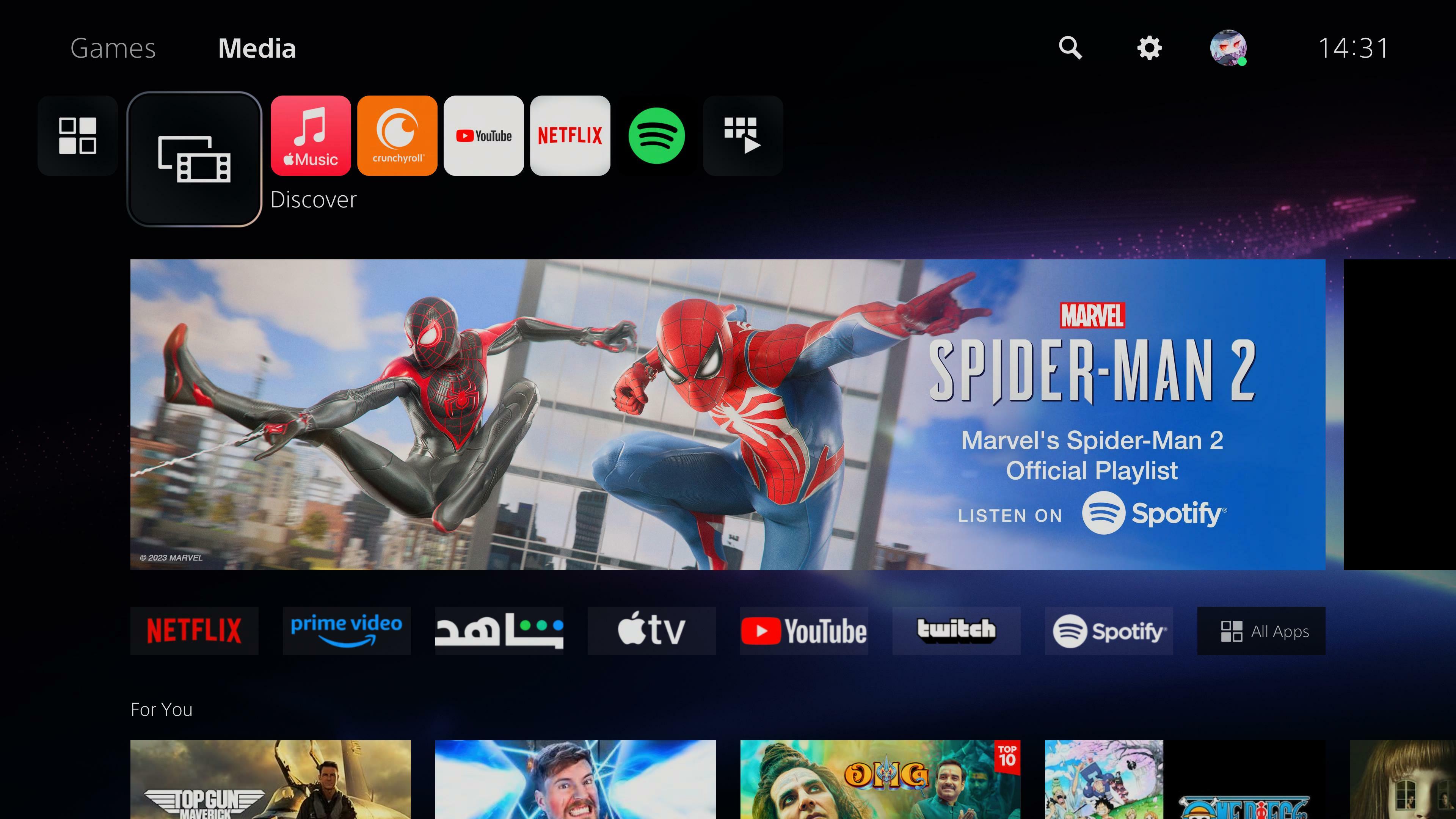
You can watch the weekly episodes of Silent Hill: Ascension on your PS5 via the Media section.
You can access it by pressing the R1 button on your controller while on the home screen.
While you cannot vote and interact with Silent Hill: Ascension's episodes on a PS4 or PS5, you will be able to watch the entire week's story via the Media section.
For more on Silent Hill: Ascension, check out: