






This guide shares the latest redeem codes for Roblox My Greenhouse and the steps to claim them.

My Greenhouse is a farming simulation game on the Roblox platform where you forage for plants or buy seeds to plant in your assigned greenhouse, then harvest the produce and sell it for in-game currency.
The game offers much more than many of its competitors, despite being a solo dev project. The foraging part includes a mini-game, a greenhouse, character customization, quests, and unique characters to find across the map and talk to. And much more!
It is a fun game, and if you are playing, you can redeem codes to earn free seed packs, currency, and other rewards to help you grow your greenhouse.
With that said, here’s our guide to My Greenhouse redeem codes, covering active and expired codes, how to claim them, and where to find more.
How to Redeem Codes in My Greenhouse

To redeem codes in My Greenhouse, you must first complete the game’s tutorial. Once you do that, you will get access to the different menus and options.
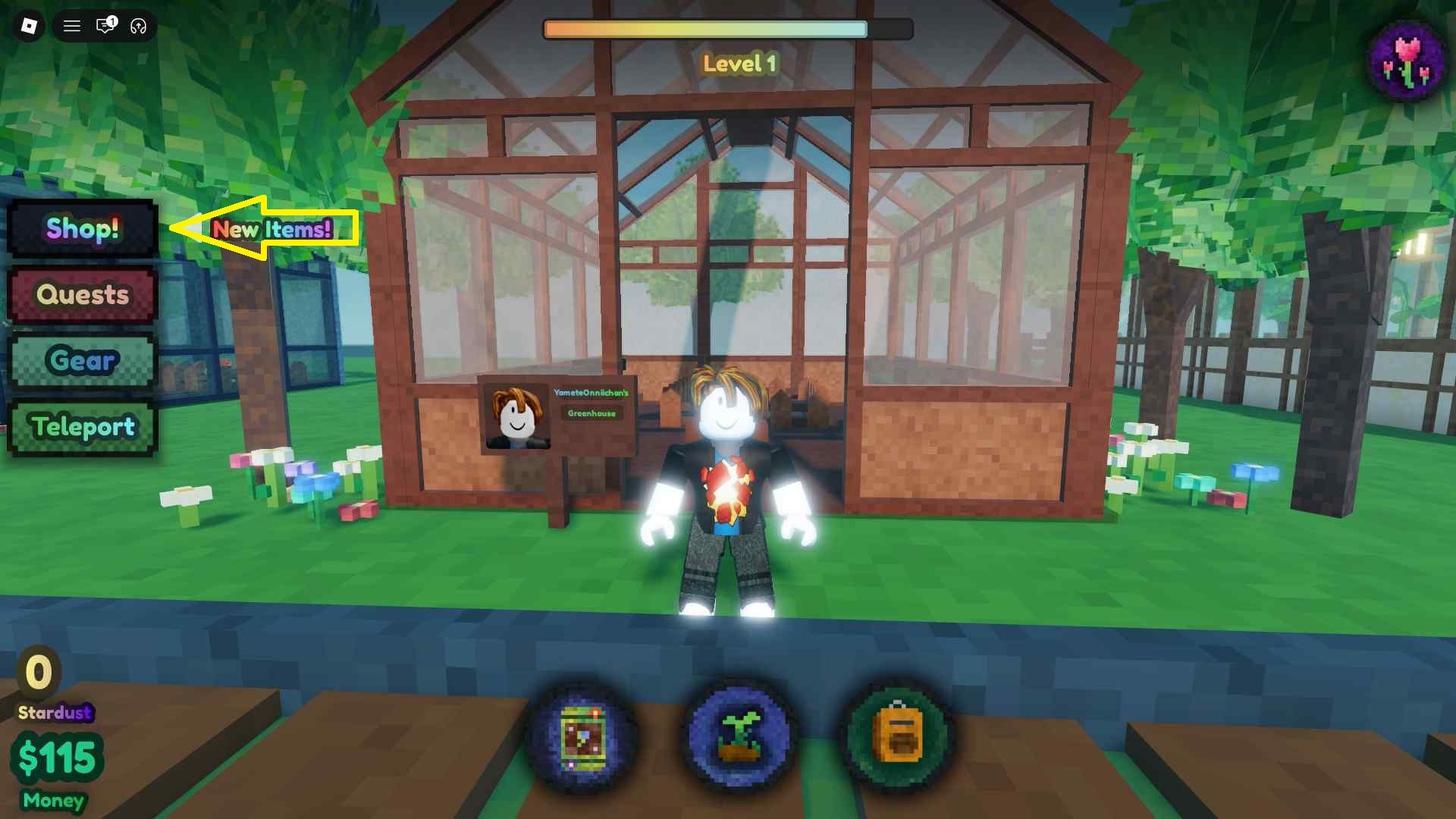
Now, click on the ‘Shop’ button found on the left side of the game screen. Scroll down to the bottom to find the ‘Codes’ section.
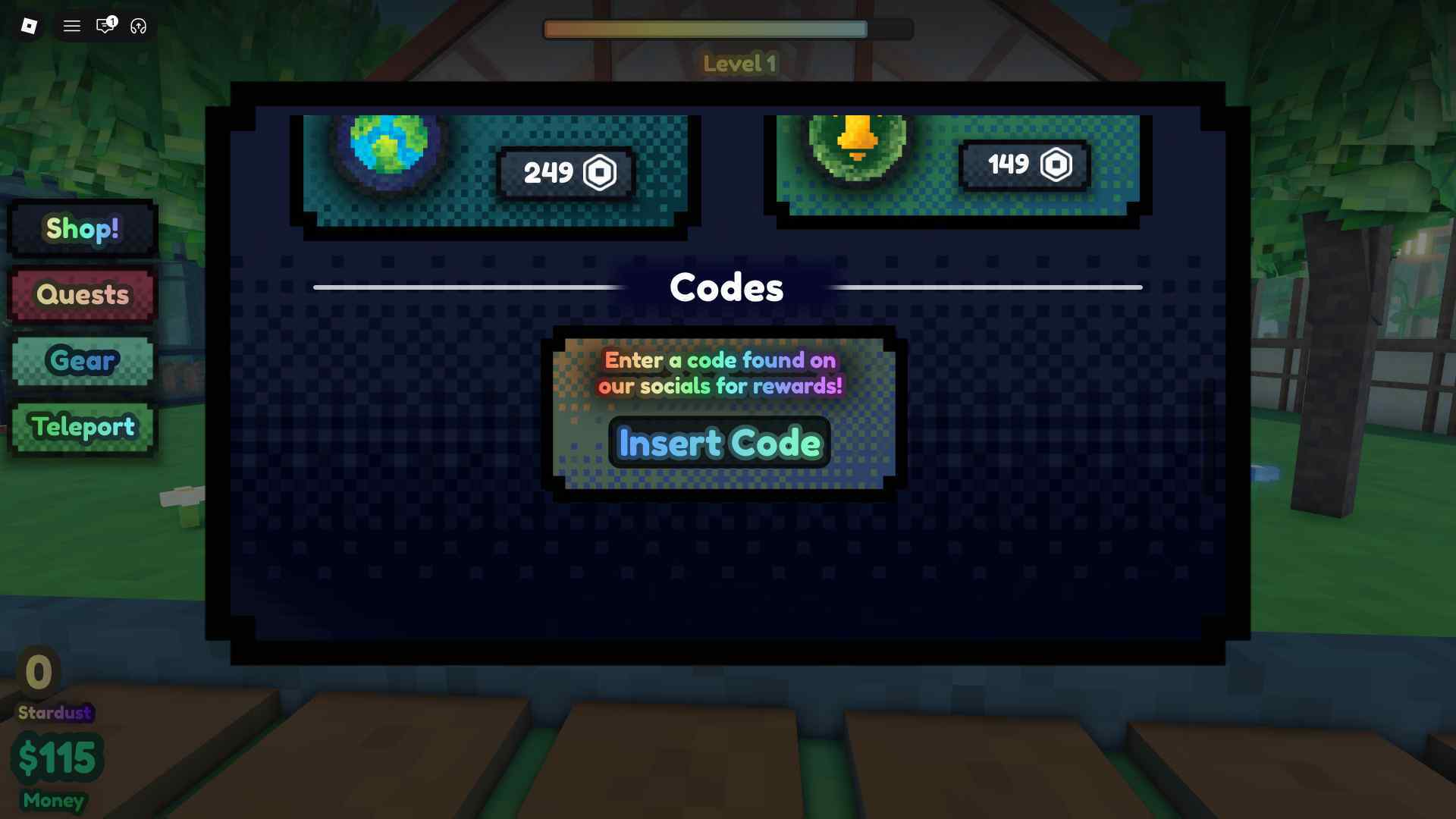
Enter the active codes in the ‘Insert Code’ field and hit the ‘Enter’ key to claim the rewards.
New Codes for My Greenhouse

Below you can find the complete list of active codes for the game:
- 800KVISITS - Rewards (new!)
- 200KVISITS - Rewards
- ILOVEPOTATOES - 700 Cash, a Potato Seed, and 25 Stardust
- GEMSTRAWBERRY - Rewards
Make sure to claim the codes above as soon as possible, as they expire after a set period.
My Greenhouse Expired Codes
- The game has no expired codes at the moment.
Where to Get More My Greenhouse Codes
New redeem codes for My Greenhouse are shared via the game’s official Discord server. At the moment, there’s no dedicated channel where the developer shares new code.
So you must do the manual work and either ask for new code in the general chat or search for it in the ocean of messages. The best option is to bookmark this page and add MobileMatters as your preferred source to ensure you don’t miss any redeem codes, as we track and update them whenever the developer releases new ones.