





Read on, and you'll discover the best skill moves you can use in EA FC Mobile. This can be very helpful, especially for newbies.
If the old, slow-paced skills start to get boring in EA FC Mobile, we are here to improve your gaming experience.
In this article, we'll show you how to change skill moves in FC Mobile. In addition to step-by-step instructions, we'll also show you the best skill moves to use in FC Mobile.
Whether you are a seasoned professional player or a newbie who wants to rank up in VS Attack, we've got you covered. So, without further ado, keep reading this guide.
How To Change Skill Moves In EA FC Mobile
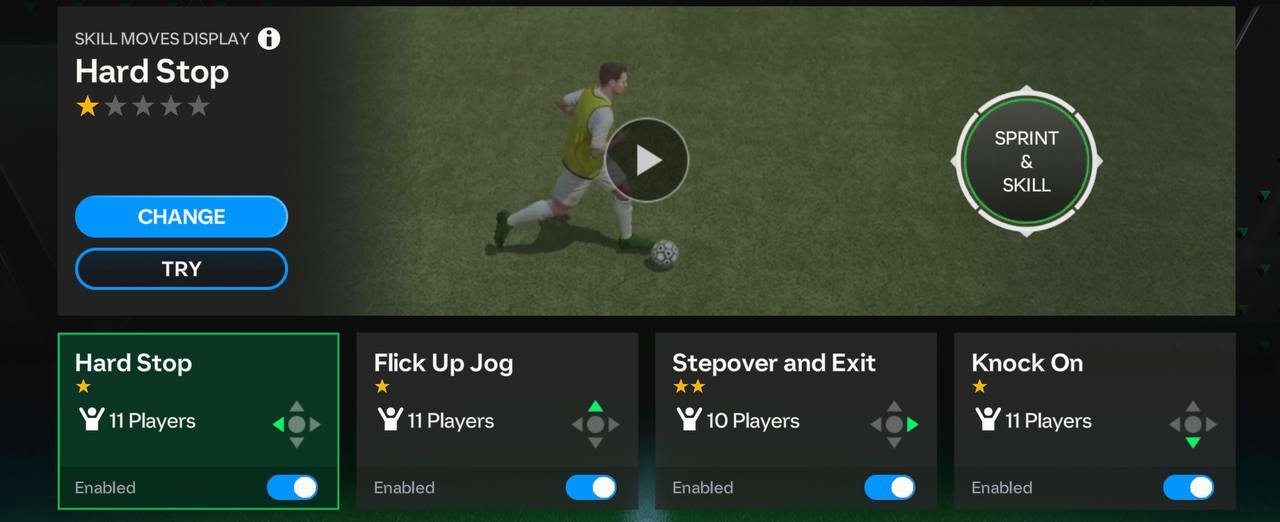
Follow the steps below to change skill moves in EA FC Mobile:
- Open FC Mobile
- Head to the Club Menu
- Click on My Team
- Then, select the option Team Editing
- Here, you need to click on Skill Moves
- Select from the skills available that you want to change
- Tap on Change
- After that, select from the available skills what you want to change and click Assign
As you can see, the process is quite similar to FIFA Mobile, so you shouldn't have trouble with it.
Best Skill Moves To Use In FC Mobile
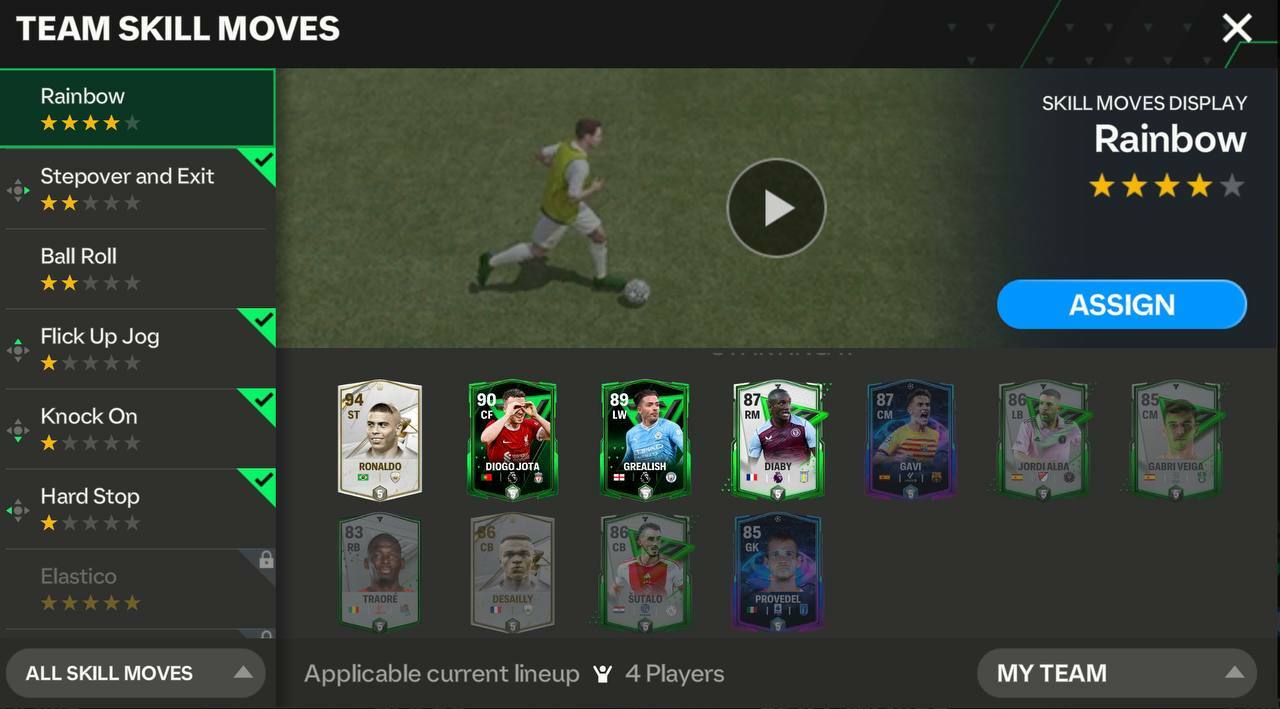
If you want to use the best skill moves for FC Mobile, check out the list below. It collects the best skills for EA FC Mobile.
- Rainbow
- Knock On
- Open Up Fake Shot
- Drag Back Spin
- Lane Change
These skills allow you to create goal-scoring opportunities and destroy opponent's defense.
For more news and guides on EA Sports FC Mobile, check out: